dig
dig
dig"is a network administration command-line tool for querying the Domain Name System (DNS)."[1]- dig follows a simple command structure, with various additional options
dig @server name type@server: The DNS server being queried (referring to the system's DNS server if none are identified)- I recommend querying specific DNS servers, as I've had trouble relying on local DNS servers
name: The name of the resource (e.g. domain) to be looked uptype: The type of records to be retrieved (e.g., A, MX, NS, etc.), by default A records- You can use the
ANYrecord type, but it's sometimes blocked as spam or gives incomplete results; see below for reference.
- You can use the
- Common Options
+short: provides just a short answer to the query+noall +answer: removes all information in the response and includes only the answer
Using dig to verify SPF, DKIM, and DMARC
When using dig to verify records and look up changes, only SPF can be searched generally; DKIM and DMARC searches must include the full name of the record.
In the examples, I rotated the DNS server I was querying to demonstrate that any DNS server could be used. Records for subdomains or named records above root (e.g., mail.example.com or _dmarc.example.com) will require their own dig queries.
- SPF
dig @8.8.8.8 example.com TXT +noall +answer- This will return all root TXT records, so you may get several irrelevant responses in addition to the SPF
- DKIM
dig @1.1.1.1 mx01._domainkey.example.com TXT +noall +answer- Returns the final DKIM record value, whether stored on your name server or redirected via a CNAME
dig @1.0.0.1 protonmail._domainkey.example.com CNAME +noall +answer- Only returns the CNAME record on your server, if applicable.
- DMARC
dig @8.8.4.4 _dmarc.example.com TXT +noall +answer- This will return the DMARC record for
example.com
- This will return the DMARC record for
dig @1.1.1.1 _dmarc.mail.example.com txt +noall +answer- Returns the DMARC record for the subdomain
mail.example.com
- Returns the DMARC record for the subdomain
If the record exists and you entered the command correctly, you should get responses with all the information in the record being queried.
Issues with ANY types
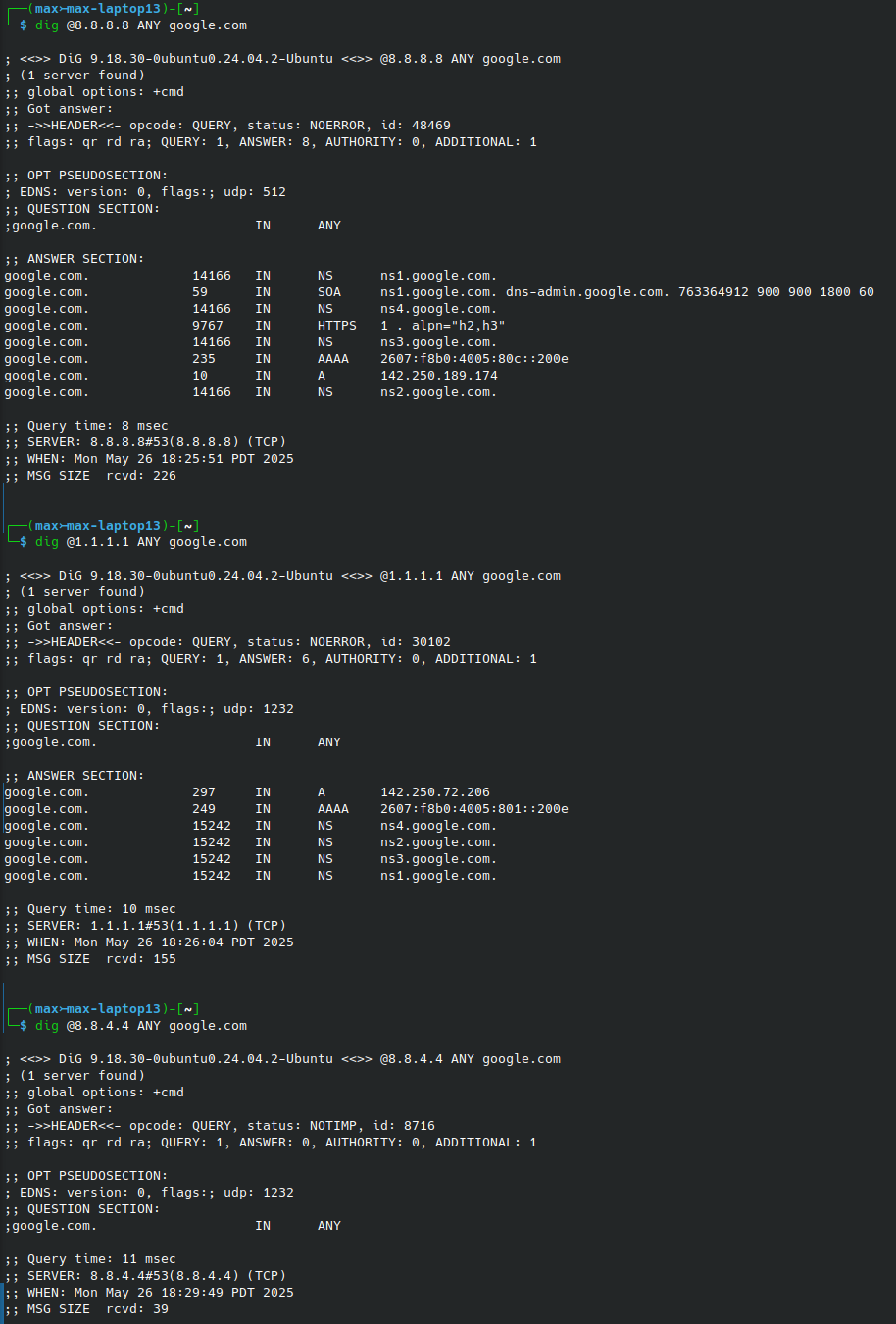
One of the issues with the dig ANY command is that the results can be wildly incomplete; this is because the responses can be pretty large and resource-intensive to generate, and can be used in DoS attacks.
Below are the results of the same query against three different DNS servers; notice how the results are very different between servers.
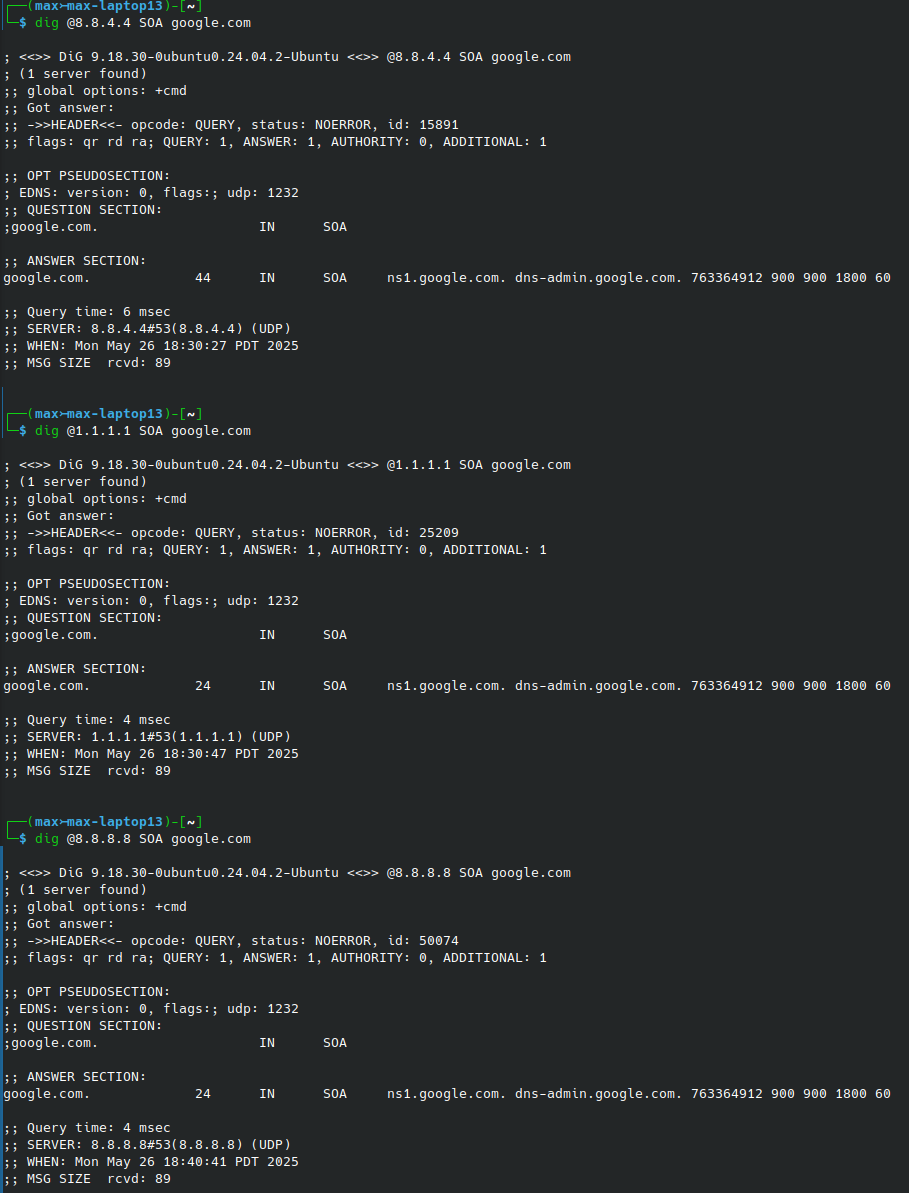
However, if I query SOA type records, I get the same information, which was missing from two of the three ANY queries.
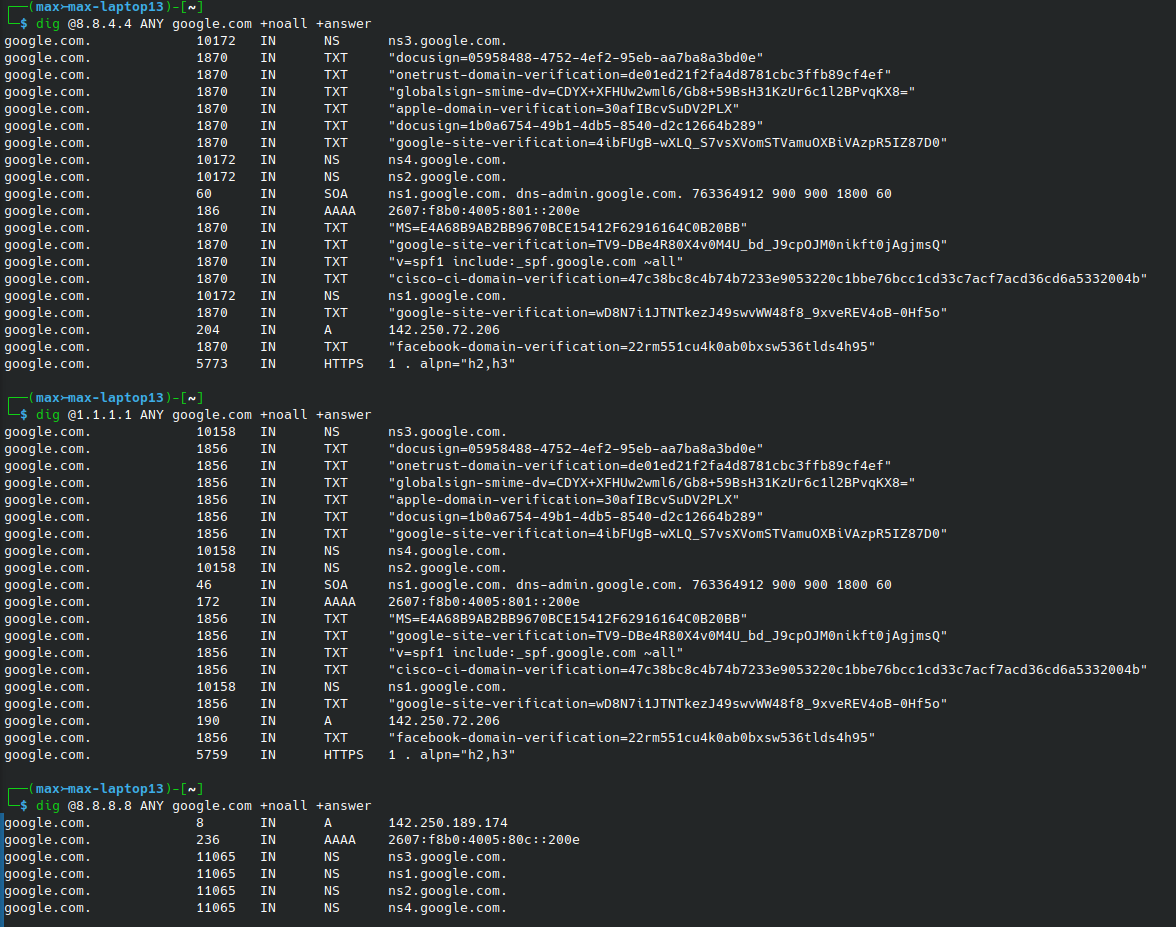
Using the +noall +answer query options appear to return more complete information, but still inconsistent.
Metadata
Sources
dig (command) - Wikipedia
Manual Pages — BIND 9 9.19.24 documentation